-1.png?w=520&h=124)
When your parents live 2,000 miles away, video calls help — but they're not always convenient. Time zones don't match. Grandma doesn't always answer her phone. And honestly, sometimes you just want to share a moment without scheduling a call.
That's where a digital photo frame designed for long-distance families changes everything. It sits in their living room, automatically displays photos you send from your phone, and keeps your family connected without anyone needing to lift a finger.
Here's how to choose the right one — and why the Homture AI Photo Frame is built specifically for families separated by distance.
Why Long-Distance Families Need a Digital Photo Frame
Long-distance relationships — whether with aging parents, adult children who moved away, or grandkids growing up in another state — come with a unique challenge: you miss the small, everyday moments.
You don't just miss birthdays and holidays. You miss:
- Your toddler's first day at preschool
- The new haircut your mom got last week
- Your dad's garden finally blooming
- Sunday morning pancakes with the grandkids
These aren't "big enough" for a video call. But they're the moments that make family feel close.
A digital photo frame solves this by creating a passive, always-on connection. You send a photo from your phone. It appears on their frame within seconds. No app to open. No notification to respond to. Just a quiet presence that says, "I'm thinking of you."
The Emotional Impact
Studies show that displaying family photos in the home reduces feelings of loneliness in older adults. A digital frame that updates automatically keeps those connections fresh and frequent — without requiring effort from the recipient.
Must-Have Features for Remote Photo Sharing
Not all digital photo frames are built for long-distance use. Here's what actually matters when your family lives far away:
1. WiFi Photo Sharing
You send photos from your phone. They appear on the frame instantly. No USB drives. No email attachments. No tech support calls.
2. Zero Setup for Recipients
Your parents shouldn't need to download an app, create an account, or connect anything. You set it up. They plug it in. Done.
3. Multi-User Sharing
All siblings, grandkids, and extended family can send photos to the same frame. Everyone stays connected without coordinating.
4. High-Resolution Display
A blurry, pixelated photo defeats the purpose. Look for at least 1080p resolution so faces are clear and colors are vibrant.
5. Automatic Playback
The frame should wake up when someone walks by and go to sleep when the room is empty. No buttons to press. No remotes to lose.
6. AI Enhancements (Bonus)
Features like turning photos into short videos or colorizing old black-and-white photos make memories even more engaging.
Why Homture Works Best for Long-Distance Families
The Homture AI Photo Frame was designed with one specific use case in mind: keeping families connected when they can't be together physically.
Remote Sharing That Actually Works
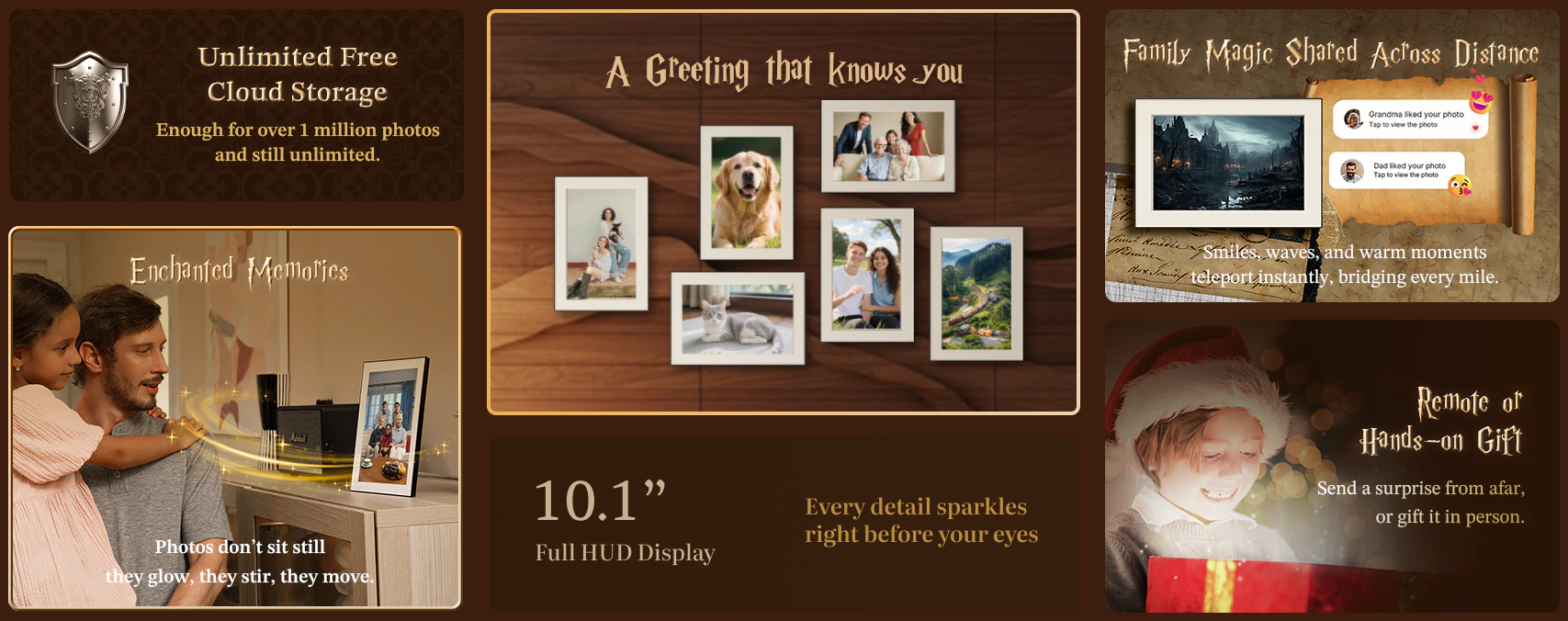
You download the Homture app on your phone. You send a photo. It appears on your parents' frame within seconds — even if they live on the other side of the world. They don't need to do anything. They don't even need a smartphone.
Multiple Family Members Can Share
Your siblings, your kids, your cousins — everyone can send photos to the same frame. No limit on how many people can connect. No complicated permissions or invites.
AI Magic Brings Photos to Life
Static photos are nice. But Homture's AI Magic feature turns them into short, cinematic videos with subtle motion and music. It's like watching a memory come alive instead of just looking at a picture.
This is especially powerful for grandparents who don't see their grandkids often. A photo of your daughter at the park is sweet. A 10-second video of her running toward the camera, laughing? That's the next best thing to being there.
Old Photo Colorization
If your parents have boxes of old black-and-white family photos, you can upload them to the Homture app and let AI add natural, realistic color. Then send those restored memories to their frame.
Imagine your mom seeing her own childhood photos — photos she hasn't looked at in decades — suddenly displayed in full color on her living room wall.
Proximity Sensor Saves Energy
The frame detects when someone walks by (within 5-6 feet) and automatically wakes up to play photos. When the room is empty, it goes to sleep. This means:
- Lower electricity bills
- Longer screen lifespan
- Photos feel more "alive" because they respond to presence
1080p Display on a 10.1" Screen
The 1920 × 1200 resolution means photos look sharp and vibrant. Faces are clear. Colors are accurate. It doesn't feel like a "digital" frame — it feels like a window into your family's life.
Why This Matters for Long-Distance Families
Most digital frames are designed for people who want to display their own photos. Homture is designed for people who want to share photos with someone else — someone who might not be tech-savvy, might not have a smartphone, and definitely doesn't want to troubleshoot WiFi settings.
How to Set It Up for Your Parents (Even If They're Not Tech-Savvy)
Here's the beautiful part: you do all the setup. Your parents just plug it in.
Step 1: Set Up the Frame Before You Ship It
If you're visiting your parents, bring the frame with you and set it up in person. If you're shipping it, set it up at your house first:
- Plug in the frame and connect it to your WiFi
- Download the Homture app on your phone
- Pair the frame with your app by scanning the QR code on the screen
- Upload 10-20 photos to get them started
Step 2: Connect It to Their WiFi (Remotely or In-Person)
If you're there in person, just connect the frame to their WiFi network through the settings.
If you're setting it up remotely, you have two options:
- Option A: Call them and walk them through connecting to WiFi (it's a simple on-screen menu)
- Option B: Set up a mobile hotspot on an old phone, connect the frame to that hotspot, and ship both devices together (the frame will stay connected as long as the hotspot is on)
Step 3: Add Family Members
Invite your siblings, kids, or other family members to download the Homture app and connect to the same frame. Everyone can now send photos.
Step 4: Show Them How It Works (Optional)
Honestly, they don't need to know how it works. But if they're curious:
- "When we take a photo we want to share, we send it through an app, and it shows up here."
- "You don't need to do anything. Just enjoy the photos."
Real Story: How One Family Stays Connected Across 3 Countries
"My parents live in Taiwan. My brother lives in Canada. I'm in California. We used to only share photos in a family WhatsApp group, but my parents rarely checked their phones."
"I bought them a Homture frame for their anniversary. Now, every time one of us sends a photo — my brother's kids at hockey practice, my daughter's dance recital, my dad's morning walk — it just appears on their living room wall."
"My mom told me she walks past it every morning and feels like we're all still close. She doesn't have to open an app or remember to check her phone. The photos are just there."
"The AI Magic feature is her favorite. She loves watching the videos of her grandkids. She says it's like they're moving, not just frozen in a picture."
Homture vs Other Frames for Long-Distance Use
| Feature | Homture AI Frame | Skylight Frame | Aura Frame |
|---|---|---|---|
| Remote WiFi Sharing | ✅ Yes | ✅ Yes | ✅ Yes |
| Multi-User Sharing | ✅ Unlimited users | ✅ Unlimited users | ✅ Unlimited users |
| Resolution | 1080p (1920×1200) | 1280×800 | 1280×800 |
| AI Photo-to-Video | ✅ Yes (AI Magic) | ❌ No | ❌ No |
| Old Photo Colorization | ✅ Yes | ❌ No | ❌ No |
| Proximity Sensor | ✅ Yes (auto wake/sleep) | ❌ No | ✅ Yes |
| Price | $149 | $159 | $179 |
Bottom line: All three frames handle remote sharing well. But Homture is the only one that adds AI-powered features (photo-to-video, colorization) that make memories more engaging — especially important when you're trying to bridge physical distance.
Frequently Asked Questions
Do my parents need a smartphone to use the frame?
No. The frame works entirely from the sender's side. You send photos from your phone. They just see them appear on the frame. They don't need a phone, email, or any account.
What if they don't have WiFi?
The frame requires WiFi to receive photos remotely. If they don't have WiFi, you can set up a mobile hotspot using an old smartphone or a dedicated hotspot device.
Can I send photos from anywhere in the world?
Yes. As long as the frame is connected to WiFi, you can send photos from anywhere. Distance doesn't matter.
How many people can send photos to one frame?
Unlimited. You can invite as many family members as you want to connect to the same frame through the Homture app.
Will old photos look good on the frame?
Yes. The 1080p display shows photos clearly. And if you have old black-and-white photos, you can use Homture's AI colorization feature to restore them before sending.
What if they accidentally unplug it?
Just plug it back in. The frame remembers its WiFi connection and all settings. Photos are stored in the cloud, so nothing is lost.
Can they delete photos they don't like?
Yes. You can manage the photo library remotely through the app. Or, if they're comfortable with it, they can use the simple on-screen menu to remove photos.
How much does it cost to send photos?
Nothing. Once you own the frame, photo sharing is free. There are no monthly fees or subscriptions required for basic use.
Bridge the Distance with Homture
Stay connected with family, no matter where they live. Free shipping on all orders.
Shop Homture AI Frame →