-1.png?w=520&h=124)
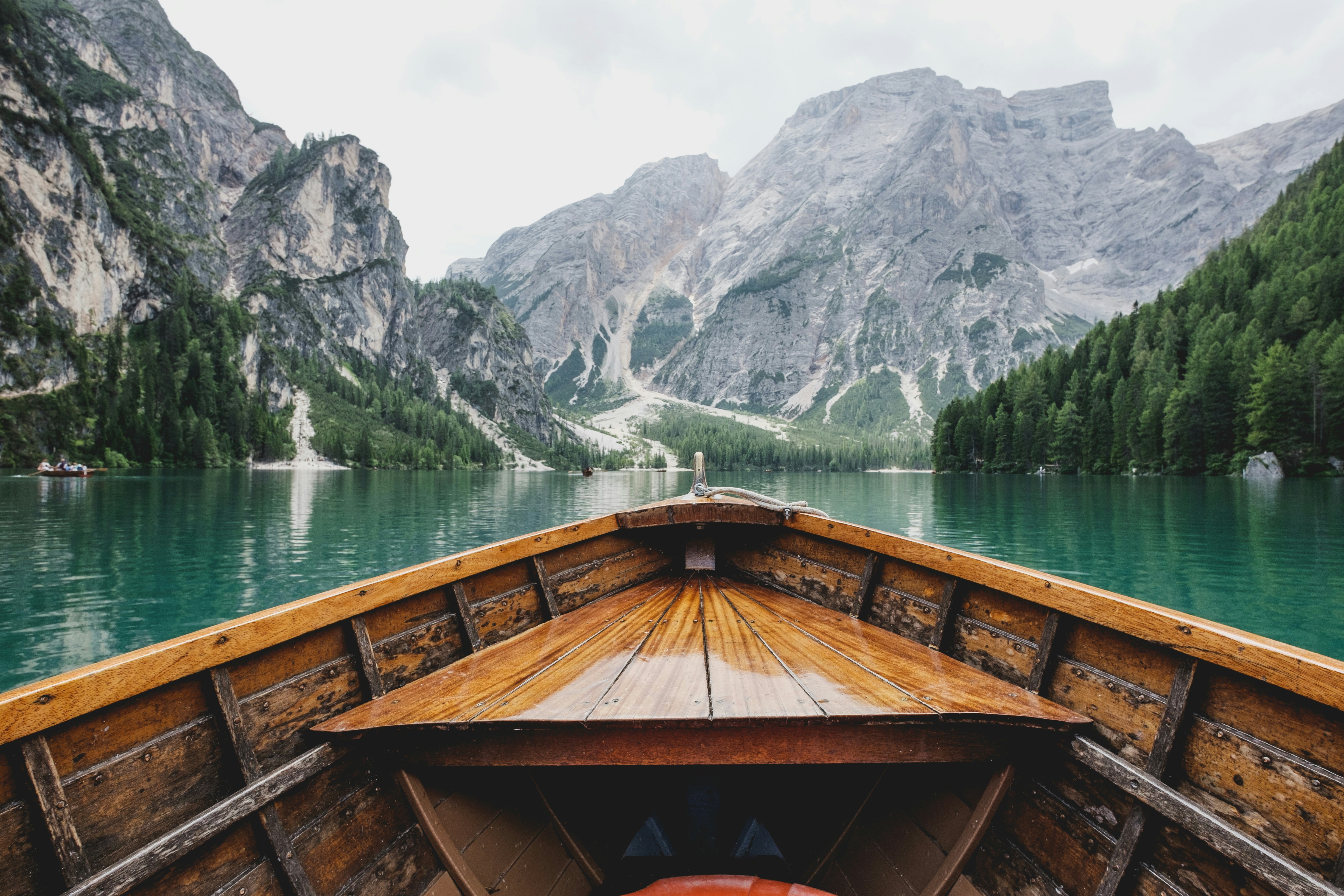
Have you ever captured a stunning landscape photo and wished you could see it transform from day to night? With Homture's AI-powered Day-Night Waltz template, you can turn your static landscape photos into mesmerizing day-to-night transition videos.
Whether it's a mountain lake at sunset, a coastal shore, or a city skyline, this AI feature brings your scenery photos to life with smooth, cinematic transitions. Here's everything you need to know to create your own landscape photo day night video.
What is the Day-Night Waltz Template?
The Day-Night Waltz is a specialized AI template designed exclusively for landscape and nature photography. It analyzes your photo and creates a smooth animation that transitions from daylight to nighttime, complete with lighting changes, color shifts, and atmospheric effects.
This template is part of Homture's Scenery category, which means it's optimized for photos without people or pets. The AI focuses on natural elements like sky, water, mountains, and architecture to create the most realistic day-to-night effect.
HD photos work the best. Avoid those with obvious people or pets for optimal results.
What Types of Photos Work Best?
Not all landscape photos are created equal when it comes to AI video generation. Here's what works best:
Best Photo Types
- Mountain lakes: Reflections and water surfaces create stunning transition effects
- Coastal shores: Ocean horizons and beach scenes work beautifully
- City sights: Urban skylines with buildings and lights are perfect
- Desert views: Wide open landscapes with clear skies
- Forest scenes: Natural landscapes with trees and foliage
- Architectural landmarks: Monuments, bridges, and historic buildings
Photos to Avoid
- Obvious people: The template is designed for scenery only
- Obvious pets: Animals in the foreground will affect the AI processing
- Macro shots: Close-up photos of flowers or objects don't work well
- Blurry images: Low-quality or out-of-focus photos produce poor results
- Over-exposed photos: Washed-out images lack the detail needed for transitions
Make sure your photo is high resolution and properly exposed. The AI needs clear details to create realistic lighting transitions.
Step-by-Step: Creating Your Day-Night Video
Step 1: Open the Homture App
Launch the Homture app on your smartphone. Make sure you're connected to WiFi for the best upload and processing experience.
Step 2: Navigate to AI Video Features
Look for the AI Video or AI Templates section in your app. This is where all the creative AI features live, including the Day-Night Waltz template.
Step 3: Select the Scenery Template
Find and tap on the Scenery template category. This is specifically designed for landscape and nature photos. Within this category, select the Day-Night Waltz action.
Step 4: Upload Your Landscape Photo
Tap the upload button and choose your landscape photo from your phone's gallery. Remember to select a photo that meets the criteria we discussed earlier—no people or pets, high quality, and good exposure.
AI video generation typically takes 30-90 seconds depending on your photo's resolution and the server load. Be patient while the magic happens!
Step 5: Preview Your Video
Once processing is complete, you'll see a preview of your day-to-night transition video. Watch it through to make sure you're happy with the result. The AI will have added lighting changes, color grading, and atmospheric effects to simulate the passage from day to night.
Step 6: Save or Share
If you love the result, tap Save to add it to your Homture frame's media library. You can also share it directly with family members who have access to your frame, or download it to your phone to share on social media.
Tips for the Best Results
Choose Photos with Clear Skies
Photos with visible sky areas work best because the AI can create dramatic color transitions from blue daylight to orange sunset to dark night. Overcast or foggy skies limit the visual impact.
Include Light Sources
If your landscape includes city lights, street lamps, or building windows, the AI can make these "turn on" during the night transition, adding extra realism and visual interest.
Use Horizontal Orientation
Landscape-oriented photos (horizontal) typically work better than portrait-oriented ones for this template. They capture more of the scene and create a more cinematic feel.
Avoid Heavy Editing
While it's fine to use photos with basic adjustments, heavily filtered or stylized images may not process well. The AI works best with natural-looking photos.
Creative Ideas for Day-Night Videos
Vacation Memories
Turn your travel photos into dynamic videos. That sunset you captured in Santorini or the mountain view from your hiking trip becomes even more memorable as a day-to-night animation.
Seasonal Displays
Create a collection of day-night videos for different seasons. Spring cherry blossoms, summer beaches, autumn forests, and winter snow scenes all look stunning with this effect.
Local Landmarks
Showcase your hometown's beauty by creating day-night videos of local landmarks, parks, or scenic viewpoints. It's a unique way to celebrate where you live.
Nature Photography Portfolio
If you're a nature photography enthusiast, this feature adds a new dimension to your work. Transform your best landscape shots into animated pieces that stand out.
Frequently Asked Questions
How long is the final video?
The Day-Night Waltz video is typically 10-15 seconds long, which is perfect for digital frame display and social media sharing. The transition is smooth and loops seamlessly.
Can I use photos taken at night?
Yes, but photos taken during daytime or golden hour work best. The AI creates the night effect, so starting with a daytime photo gives you the full transition experience.
Will the video play automatically on my frame?
Yes. Once saved to your frame, the day-night video will appear in your slideshow rotation just like any other media. It plays automatically and loops continuously.
Can I create multiple videos from the same photo?
Absolutely. You can process the same photo multiple times if you want. Each generation may have slight variations in the transition effect.
Does this work with old photos?
Yes, as long as the photo quality is decent. You can use photos from years ago—the AI doesn't care about the date, only the image quality and content.
Final Thoughts
Creating landscape photo day night videos with Homture's AI is an effortless way to breathe new life into your scenery photography. The Day-Night Waltz template transforms static images into dynamic, cinematic experiences that captivate viewers and make your digital frame display truly special.
Whether you're showcasing vacation memories, celebrating local landscapes, or simply exploring creative possibilities, this AI feature opens up a world of visual storytelling. Grab your best landscape photos and start creating—you'll be amazed at what the AI can do.