-1.png?w=520&h=124)
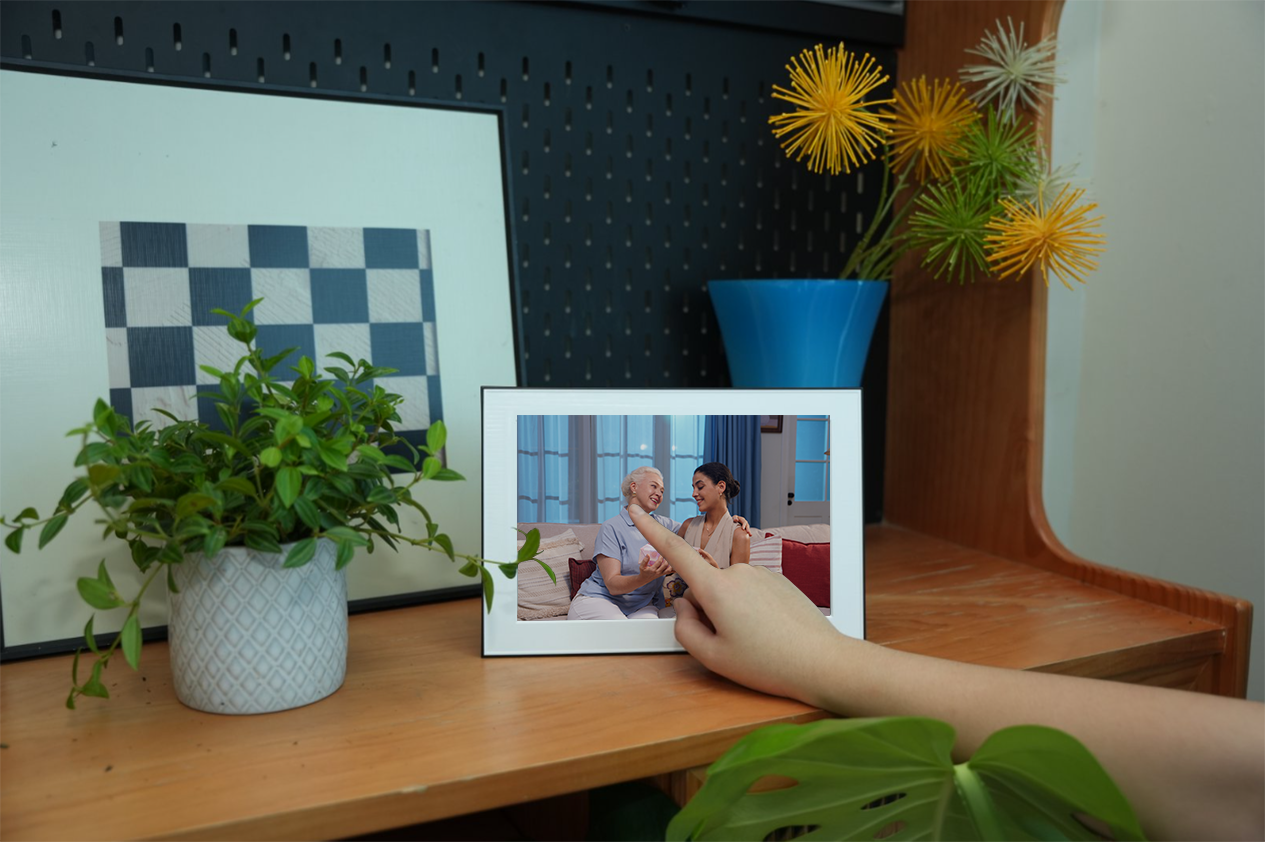
Shopping for a digital photo frame and wondering whether to get one with a touchscreen? It's one of the most common questions buyers face — and the answer isn't as obvious as you might think.
Touchscreens sound great in theory. But in practice, they come with trade-offs that matter a lot depending on who's using the frame and where it's placed. In this guide, we'll break down the real differences so you can make the right choice for your home and family.
What's in This Article
How Each Type Works
Touchscreen digital photo frames
These frames have a capacitive or resistive touch layer built into the display. You interact with the frame by tapping, swiping, and pinching directly on the screen — similar to a tablet. You can swipe through photos, open menus, adjust settings, and sometimes even delete or favorite photos right on the device.
Non-touch digital photo frames
These frames don't have a touch layer on the screen. Instead, you control them through a companion smartphone app, physical buttons on the frame, or a remote control. Photos play automatically in a slideshow, and any management happens through the app or on-device buttons.
Pros and Cons of Touchscreen Frames
Pros
- Intuitive — feels like using a phone or tablet
- Quick access to settings and menus on the device
- Can swipe through photos manually
- Feels "modern" and interactive
Cons
- Fingerprints and smudges on the display
- Touch layer can reduce image clarity and brightness
- More expensive due to touch hardware
- Screen more prone to scratches
- Confusing for elderly users who may accidentally change settings
- Higher power consumption
The biggest issue with touchscreen frames is one most people don't think about until they own one: fingerprints. A photo frame is meant to be looked at, not poked at. Every time someone touches the screen — to swipe a photo, show something to a guest, or just out of curiosity — they leave smudges that dull the image quality.
If you've ever tried to watch a movie on a tablet covered in fingerprints, you know the feeling. Now imagine that tablet sitting on your shelf, displaying your favorite family photos, permanently covered in smudge marks.
Pros and Cons of Non-Touch Frames
Pros
- Clean, smudge-free display at all times
- Better image clarity (no touch layer between you and the screen)
- More durable screen surface
- Lower price for equivalent display quality
- Simpler for elderly users — nothing to accidentally press
- App-based control is more powerful than on-screen menus
Cons
- Can't interact directly with the screen
- Requires a phone app or buttons for control
- Less "techy" feel for gadget lovers
The key advantage of non-touch frames is that the display stays pristine. Without a touch layer, the screen can be brighter, sharper, and more color-accurate. For a device whose entire purpose is to display beautiful photos, that's a significant win.
Side-by-Side Comparison
| Feature | Touchscreen Frame | Non-Touch Frame |
|---|---|---|
| Display Clarity | Good (touch layer slightly reduces sharpness) | Excellent (no layer between screen and viewer) |
| Fingerprints | Constant issue | Not an issue |
| Ease of Use (Young Users) | Very intuitive | Requires app or buttons |
| Ease of Use (Elderly Users) | Can be confusing — accidental taps change settings | Simpler — just watch and enjoy |
| Durability | Screen more prone to scratches | More durable surface |
| Price (Same Quality) | Higher | Lower |
| Power Consumption | Higher (touch layer always active) | Lower |
| Remote Control | Via app + on-screen | Via app or buttons |
| Best For | Tech-savvy users who want hands-on control | Families, gifts for parents, always-on display |
Who Should Buy Which?
Choose a touchscreen frame if:
- You want to interact with the frame like a tablet
- The frame is for personal use in your own room
- You enjoy swiping through photos manually
- You don't mind cleaning the screen regularly
Choose a non-touch frame if:
- The frame is a gift for parents or grandparents
- You want the cleanest, sharpest photo display possible
- Multiple family members will send photos remotely
- The frame will sit in a living room or common area where guests might touch it
- You prefer managing everything from your phone
- You want a "set it and forget it" experience
Our Take
For most families — especially those buying a frame as a gift or for shared use — a non-touch frame with a good companion app is the better choice. It keeps the display clean, avoids accidental setting changes, and lets you manage everything remotely. The touchscreen adds complexity without adding much real value for a device that's meant to sit on a shelf and look beautiful.
A Smarter Alternative: App Control + Proximity Sensing
What if you could get the best of both worlds — a clean, non-touch display that still feels interactive and responsive?
That's exactly what the Homture AI Photo Frame offers. Instead of relying on a touchscreen, it uses two smarter approaches:
Full App Control
Everything you'd do on a touchscreen — uploading photos, managing albums, enabling AI features, adjusting settings — happens through the Homture app on your phone. It's actually more powerful than any on-screen menu because you have a full smartphone interface to work with.
Proximity Sensing
The frame has a built-in sensor that detects when someone walks within 5–6 feet. It automatically wakes up and starts playing photos and AI-generated videos. When you walk away, it goes back to sleep. No touching required. No buttons. No remote. It just responds to your presence.
This combination means:
- The 10.1-inch, 1080p display stays perfectly clean — no fingerprints, ever
- Photos look sharper because there's no touch layer dimming the screen
- Elderly users can't accidentally change settings by touching the screen
- The frame feels "alive" because it responds when you walk by
- All the powerful features (AI Magic, photo colorization, remote sharing) are managed from your phone
Plus, Homture adds AI features that no touchscreen frame offers:
- AI Magic — turns still photos into short cinematic videos
- Old Photo Colorization — adds natural color to black-and-white photos
- Multi-user sharing — unlimited family members can send photos from anywhere
Frequently Asked Questions
Are touchscreen photo frames worth the extra cost?
It depends on your use case. If you want hands-on control and don't mind fingerprints, a touchscreen can be convenient. But for most families — especially when the frame is a gift — a non-touch frame with app control offers a better experience at a lower price.
Do non-touch frames feel outdated?
Not at all. Modern non-touch frames like the Homture AI Frame use smartphone apps and proximity sensors that are actually more advanced than basic touchscreen interfaces. The interaction is just moved to your phone, where it's more powerful and flexible.
What about kids touching the screen?
This is actually a strong argument for non-touch frames. Kids will touch any screen they see. With a touchscreen frame, that means constant fingerprints and accidental setting changes. With a non-touch frame, the screen stays clean and the settings stay intact.
Can I still control a non-touch frame without my phone?
Most non-touch frames, including Homture, have basic physical buttons on the device for essential functions. But the real power is in the app — it gives you full control over photos, settings, AI features, and family sharing.
Does the Homture frame have a touchscreen?
No — by design. Homture chose a non-touch 1080p display specifically to keep image quality at its best and avoid the fingerprint problem. All control happens through the Homture app and the built-in proximity sensor.
Which type is better for grandparents?
Non-touch, without question. Grandparents don't need to interact with the frame at all. You set it up, send photos from your phone, and they just enjoy watching. No menus to navigate, no settings to accidentally change, no screen to clean.
Clean Screen. Smart Features. Zero Fingerprints.
The Homture AI Photo Frame — a smarter way to display your family's best moments.
Shop Homture AI Frame →