-1.png?w=520&h=124)
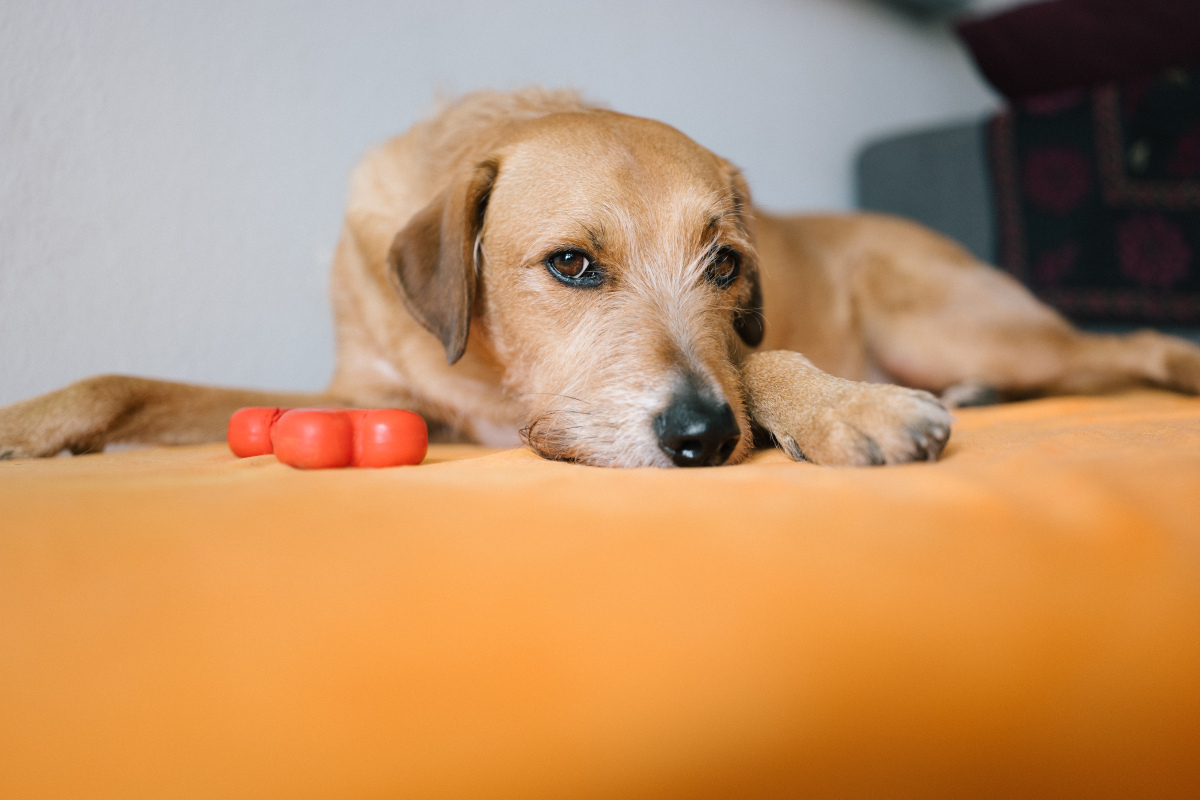
"Shake." Nothing. "Bread, shake." He looks at me. Looks at my hand. Looks back at me. Then slowly turns around and walks to his water bowl. Six months of training, ladies and gentlemen.
My name is Marcus. I'm a 32-year-old graphic designer, and I share a one-bedroom apartment in Portland with a 70-pound Labrador Retriever named Bread. He is, without exaggeration, the world champion of selective hearing.
This is the story of how I accidentally discovered that AI could do what six months of dog training could not.
In This Story
Meet Bread: 70 Pounds of Selective Hearing
Let me tell you about Bread. He's a four-year-old yellow Lab with a permanent grin, an unshakable belief that every human exists to pet him, and absolutely zero interest in performing tricks on command.
I spent six full months trying to teach him to shake. Six months. YouTube tutorials. Training treats. Clicker methods. Positive reinforcement. Stern voice. Gentle voice. Bribes.
The result? He will — reluctantly, slowly, with the energy of a man being asked to do overtime on a Friday — lift his paw and barely touch my hand. But only when his food bowl is empty. Only when he's already decided he wants something from me. Any other time? My outstretched hand might as well be invisible. He looks right through it, yawns, and walks away.
This cunning, impossible, adorable little rascal has a way of melting and frustrating me at the exact same time.
My camera roll is 90% Bread. Bread sleeping in impossible positions. Bread with his head stuck in a cereal box. Bread mid-sneeze. Bread looking majestic for exactly 0.3 seconds before chaos. I have over 2,000 photos of this dog, and somehow, every single one sparks joy.
The Idea: A Digital Frame for Dog Photos
A friend of mine had a Homture Magic Frame in her living room, loaded with family photos. One day at her place, I noticed how clean the display looked — the 10.1-inch 1080P screen was crisp, the frame itself was thin and minimal, and the photos cycled automatically in a smooth slideshow.
"You should get one for all those dog photos," she said. "Just dump them in and let it play."
Honestly? My initial thought was simple. I just wanted a nice-looking screen to cycle through Bread's greatest hits — his goofiest sleeping poses, his most ridiculous facial expressions, the photo where he looks like a disappointed professor. Nothing fancy. Just a digital shrine to my ridiculous dog.
I ordered one that evening. Setup was fast — maybe five minutes. WiFi connection, app download, frame pairing. I uploaded about 200 of Bread's best photos to start. The unlimited cloud storage meant I could keep going, so over the next few days, I uploaded everything. All 2,000+ photos. Every blurry zoomie. Every dignified nap. Every accidental masterpiece.
The AI Magic Moment
Here's where things got interesting.
After uploading, I was poking around in the Homture app and saw the "AI Magic" button. I figured, why not? I picked Bread's most classic photo — a perfect head-on shot of him grinning at the camera, tongue out, ears perked, eyes sparkling with that special Lab brand of cheerful stupidity.
I selected the "Pets" template and tapped "Create."
A few seconds later, a little miracle happened.
The still image of Bread on the screen suddenly came alive. His shiny black eyes blinked. His head tilted slightly. And then — naturally, enthusiastically, with more energy than the real Bread has ever shown for any command in his entire life — he lifted his right paw and gave a cheerful wave. Right through the screen.
"Hey, two-legged friend, I'm right here!"
I laughed out loud. Then my eyes stung a little. This ridiculous, three-second AI clip had done what six months of training couldn't: it made Bread wave at me with genuine enthusiasm.
"My 'bad boy' had become so clever and eager in the world of AI. Six months of real training: one reluctant paw. Three seconds of AI Magic: a perfect, enthusiastic hello."
The Entryway Setup
I knew immediately where this frame needed to go.
I set that three-second AI clip as the main display and placed the frame vertically in my entryway — right next to the coat rack, at eye level. The frame supports both landscape and portrait orientation, and the vertical setup was perfect for a head-on portrait of Bread.
But the feature that truly made this setup magical was the proximity sensor — what Homture calls their radar detection. The frame has a built-in millimeter-wave sensor that detects when someone approaches within about 5 to 6 feet. When it senses you, it wakes up from sleep mode and plays the AI video.
In other words: the frame knows when I'm walking toward it. And the moment it detects me, Bread's face lights up on screen, his eyes blink, and he waves hello.
Every. Single. Time.
He will never ignore me again.
My Daily Greeting Ritual
Let me walk you through a typical evening.
I get home from work. I'm tired. My bag is heavy. I push open the front door and drag myself toward the entryway.
The frame senses me. The screen wakes up. And there he is — the digital Bread, grinning his biggest grin, eyes twinkling, lifting his paw in the most perfect, most enthusiastic wave you've ever seen.
"Welcome home! I'm so happy you're here!"
I smile. Every time. I can't help it. I actually say "Hey, buddy" to the screen. Out loud. Like a normal, well-adjusted adult.
Then I turn around.
The real Bread is sprawled across the sofa. Belly up. One leg hanging off the edge. He opens one eye, registers that I exist, determines that I have not brought food, and closes the eye again.
He does not get up. He does not wag his tail. He certainly does not wave.
I walk over and ruffle the fur of the real, warm, forever-uncoordinated fluffball on the couch. He groans. Stretches. Demands a belly rub. On his terms, of course.
And I love both of them — the endlessly enthusiastic Bread on the screen, and the gloriously indifferent one on the sofa.
"I always walk to the entryway first and sincerely say 'hello' to the forever-enthusiastic little guy on the screen. Then I turn around to ruffle the fur of the real, warm, forever-uncoordinated fluffball on the couch."
Building a Pet Gallery
After the entryway success, I got more creative with the frame. Here's what my current setup looks like:
The Slideshow Rotation
When nobody's nearby, the frame cycles through Bread's regular photo slideshow — all 2,000+ photos, shuffled randomly. Every time I walk past, there's a different Bread on screen. Bread in a raincoat. Bread stealing pizza. Bread looking existential on a rainy afternoon. It's like having the world's most specific and delightful art gallery in my hallway.
The AI Greeting
When the proximity sensor triggers, the slideshow pauses and plays the AI Magic video — the famous wave. After the video finishes, it returns to the slideshow. It's the perfect balance: a surprising, interactive greeting followed by a relaxing photo rotation.
The Sleep Schedule
I set up a sleep schedule through the app so the frame turns off at night and wakes up in the morning. It saves power, and it means the first thing I see when I walk into the hallway at 7 AM is Bread's grinning face. Worst alarm clock ever. Best start to the day.
The Deeper Thing I Didn't Expect
I want to be honest about something. When I first got this frame, I thought it was just a fun gadget. A conversation piece. A funny way to display dog photos.
But over the past few months, it's quietly become something more.
Bread is four years old. Labs typically live 10 to 12 years. I don't like to think about it, but I know — I know — that one day, I'll come home and he won't be on the sofa. One day, those 2,000 photos will be all I have left.
And when that day comes, the Bread on the frame will still be there. Still grinning. Still waving. Still saying hello with more enthusiasm than any living creature has a right to possess.
I'm not getting morbid. I'm getting grateful.
Grateful that I took all those photos. Grateful that there's a place to put them where I'll actually see them every day — not buried in a phone I scroll past. Grateful that AI can take a still image and give it one more breath of life.
The real Bread will grow old. He'll slow down. His muzzle will go white. He'll stop stealing pizza (maybe). And through all of it, there will be a version of him frozen in his prime — young, goofy, impossibly happy — waving at me from the entryway every time I come home.
Homture taught me a small piece of magic: some love doesn't need to be taught. Some companionship can find another way to be forever "online."
"Some love doesn't need to be taught. Some companionship can find another way to be forever online."
Tips for Fellow Pet Parents
If you're a pet owner drowning in adorable photos with nowhere to put them, here's what I've learned:
- Use a head-on portrait for AI Magic. The AI works best with a clear, front-facing photo where the pet's face and eyes are visible. Bread's grinning head-on shot produced the best result by far. Side profiles and action shots are great for the slideshow, but for the AI video, go with face-on.
- Try the "Pets" template. Homture's AI Magic has a Pets template specifically designed for animal photos. It understands pet anatomy and creates natural-looking movements — blinking eyes, a tilting head, a waving paw.
- Place the frame vertically for pet portraits. The vertical orientation makes a single pet portrait fill the entire screen. It looks like a miniature window into your pet's world. Perfect for entryways, desks, or nightstands.
- Use the proximity sensor for greetings. Set the AI video as your primary AI Moment and place the frame near your front door. The radar sensor has a range of about 5-6 feet — just enough to trigger as you walk through the door.
- Upload everything. Don't curate too much. The blurry photos, the mid-sneeze shots, the ones where your dog looks like a melted loaf of bread — those are the ones that make you laugh hardest when they pop up in the slideshow. Unlimited cloud storage means you don't have to choose.
- Share the frame with fellow pet lovers. The multi-user feature lets other people upload photos too. If your dog has a favorite dog-sitter, a groomer who sneaks photos, or a friend who always captures the best candids — invite them to contribute.
The Homture Magic Frame didn't just give my dog photos a home. It gave Bread a way to greet me that he never managed in real life. And honestly? His AI version's enthusiasm makes the real Bread's indifference even funnier.
Two Breads. One who never stops waving. One who can't be bothered to open both eyes. I love them both.
Give Your Pet Photos a Frame They Deserve
Turn your favorite pet photos into AI-powered greetings. Unlimited cloud storage. Proximity-activated playback. A frame your pet would approve of — if they cared.
Shop Homture Magic Frame →